
MICROSOFT POWER PLATFORM
Microsoft Copilot Studio Consulting and AI Agents
Employees answer the same questions every day. Customers ask for updates. Teams search for policies and documents. Microsoft Copilot Studio lets you create AI agents that answer questions, guide users and complete routine tasks. They work with your existing Microsoft environment and business data. We design, build and integrate agents with Dynamics 365 and your other systems. We are your Copilot Studio implementation partner across Asia-Pacific, from design to ongoing support.
AI Agents • Conversational AI • Workflow Automation • Enterprise Security
Explore Microsoft Copilot Studio ↗
From Question to Resolution
An AI agent listens, understands the request and finds the right information. It completes actions where appropriate. People step in only when extra help is needed.
- 1. Understand The agent reads the question from a customer or employee and works out what they need.
- 2. Retrieve Knowledge It finds answers in your documents, systems and trusted business data.
- 3. Take Action It submits requests, updates records and starts workflows where appropriate.
- 4. Respond or Escalate It replies in plain language. It hands over to a person when a case needs one.
Support People Wherever They Need Assistance
Agents help wherever people search for information or repeat the same tasks. Typical areas include customer service, sales, HR, finance, operations, procurement, IT and marketing. Start with one agent and expand across teams as it proves its value.
Customer EnquiriesAnswer questions and provide account support. | HR RequestsFind policies and submit leave or HR requests. | Finance QuestionsCheck balances, approvals and financial information. |
Operations SupportTrack orders, inventory and operational updates. | IT AssistanceResolve common issues and submit support requests. | Sales EnquiriesQualify opportunities and schedule customer follow-ups. |
Connect Copilot Studio with Dynamics 365, Microsoft 365 and Your Data
Copilot Studio connects securely to your Microsoft applications and business systems. Agents use live, trusted data and follow your existing governance rules.
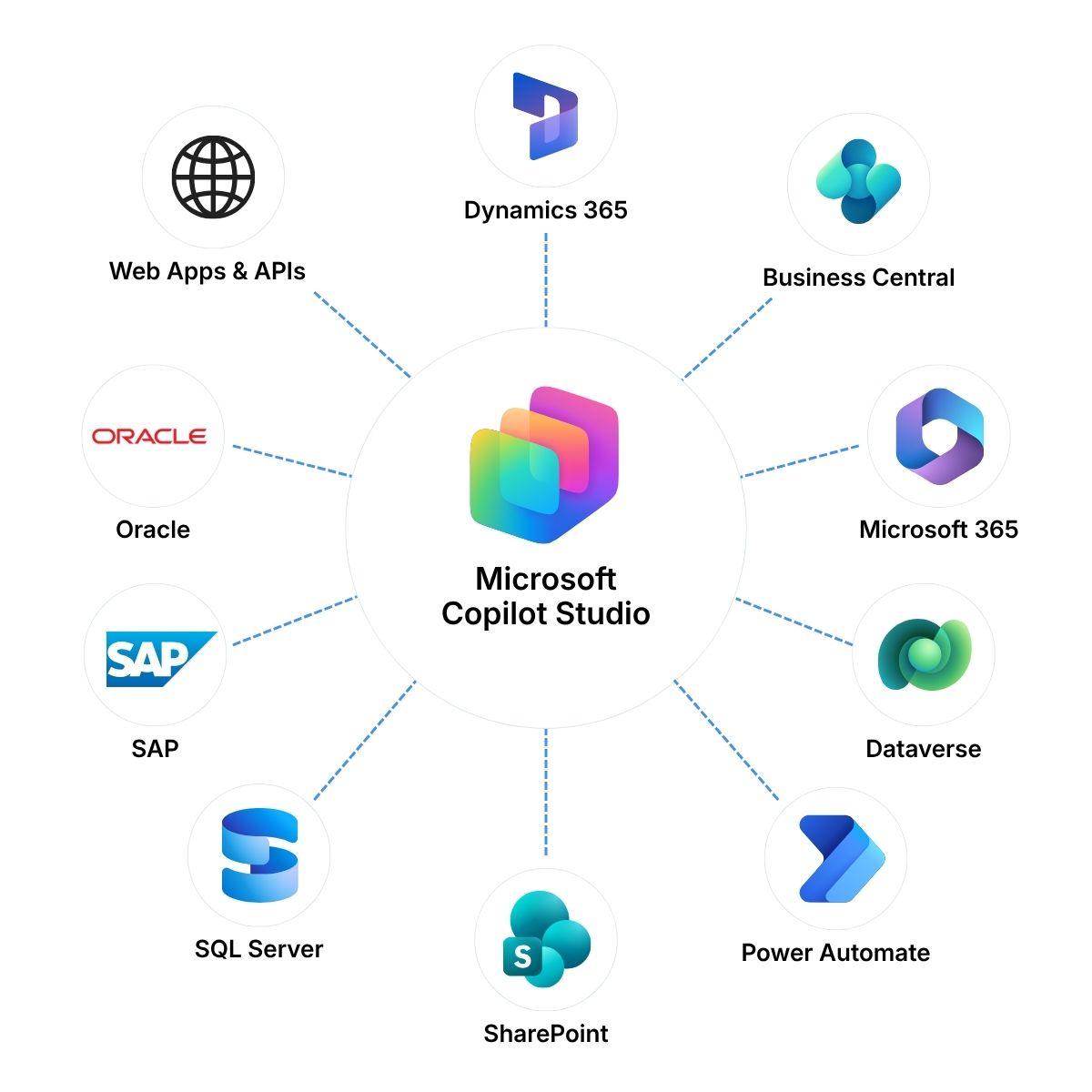
Dynamics 365 and Dataverse | Agents that read Business Central, Finance and Supply Chain Management, and CRM data | Microsoft 365 and SharePoint |
Explore Modern Work → | Power Automate and Other Systems | Security and Identity |
Microsoft security and compliance for conversations and data
Looking to Apply AI Across Your Business?
Copilot Studio gives you the Microsoft tools to build agents. PRIME goes further. It brings Microsoft AI capabilities together with 9 Dots operational knowledge. The result is purpose-built hubs of business agents for finance, procurement, operations, sales and executive leadership.
Your Trusted Copilot Studio Partner in Asia-Pacific
Agent design, development, security, regional rollout and ongoing support for the complete Copilot Studio lifecycle from 11 locations.

Microsoft Partner Recognition | Projects DeliveredSingapore • Malaysia • Thailand • Indonesia • Vietnam • Hong Kong • Taiwan • China • India • Japan • South Korea |
Frequently Asked Questions
What is Microsoft Copilot Studio?Microsoft Copilot Studio is a low-code platform for building AI agents. These agents answer questions, guide users and complete routine tasks. They use your Microsoft environment and business data. | What can a Copilot Studio agent do for our business?An agent can answer customer and employee questions, find policies and documents, and check order or account details. It can also submit requests and start workflows. It hands over to a person when needed. | Can Power Apps connect to our existing systems?Yes. Copilot Studio connects to Dynamics 365, Microsoft 365, Dataverse and SharePoint. It also connects to other business systems through Power Platform connectors. We design the connections around the systems you already use. |
Is our data secure in Copilot Studio?Copilot Studio uses Microsoft security and identity. Users sign in with Microsoft Entra ID, and existing access permissions apply. We design the agent so people see only what they are allowed to see. | What is the difference between Copilot Studio and PRIME?Copilot Studio is the Microsoft platform for building AI agents. PRIME is the 9 Dots offer that combines Microsoft AI capabilities with our business knowledge. It delivers purpose-built agents for finance, procurement, operations, sales and leadership. | Explore PRIME AI Agents → |
Do you support Copilot Studio after go-live?Yes. Our Managed Services and Support cover user support, updates, enhancements and monitoring. | Explore Managed Services and Support → |
Plan Your Copilot Studio Project
Tell us which questions your people ask most, which tasks repeat and which systems hold the answers. Fill in the form or email us. Our team responds within one business day and will help you identify the next step, even if your requirements are still being defined.